Minecraft
 To undo grief, stand near the damage and run /co rollback user:<player> time:2h radius:20. To see what happened without changing anything, swap rollback for lookup. CoreProtect logs almost every change a player (and much of what the game itself) makes, and is worth running on a server of any size.
Quick answer
- Install: drop the jar in
plugins, restart, done. - Investigate a block:
/co ito toggle inspector mode, then left-click to see who placed it, right-click to see what was removed. - See what happened:
/co lookup user:Alex time:1d radius:50 - Undo it:
/co rollback user:Alex time:1d radius:50 - Undo your undo:
/co undo, or/co restorewith the same parameters. - Check before you commit: add
#previewto any rollback.
See also: CoreProtect Events for a full list of tracked actions, Rolling Back Player Death for item recovery after death, and Database Corruption for troubleshooting database issues.
Installation
Download the latest CoreProtect release, import the CoreProtect-XX.X.jar file into your server’s plugins folder, and restart the server. On restart it loads the plugin and generates a new CoreProtect folder with its config and database.
Inspect
Once CoreProtect is running it starts logging immediately. Enable inspector mode with /co inspect (or /co i) and run the same command again to turn it off. While it’s on:
- Left-click a block to see who placed it.
- Right-click a block to see what adjacent block was removed.
- Place a block somewhere to see what was removed at that spot.
- Place a block into water, lava, or similar to see who put the liquid there.
- Right-click a door, button, chest, or furnace to see who last used it.
Basic rollback
/co rollback user:<user> time:<time> radius:<radius> action:<action> blocks:<blocks> exclude:<exclude> #<hashtag>
Parameters can go in any order and none of them are individually required, though you’ll almost always want at least a user or a time. Full details are in Parameters below.
Some examples:
/co rollback user:Alex time:2hrolls back Alex’s actions from the last 2 hours. Radius defaults to 10 blocks around you./co rollback radius:200 time:1drolls back every player’s actions in the last day within 200 blocks./co rollback user:Steve time:1h30m radius:15rolls back Steve’s last 90 minutes within 15 blocks.
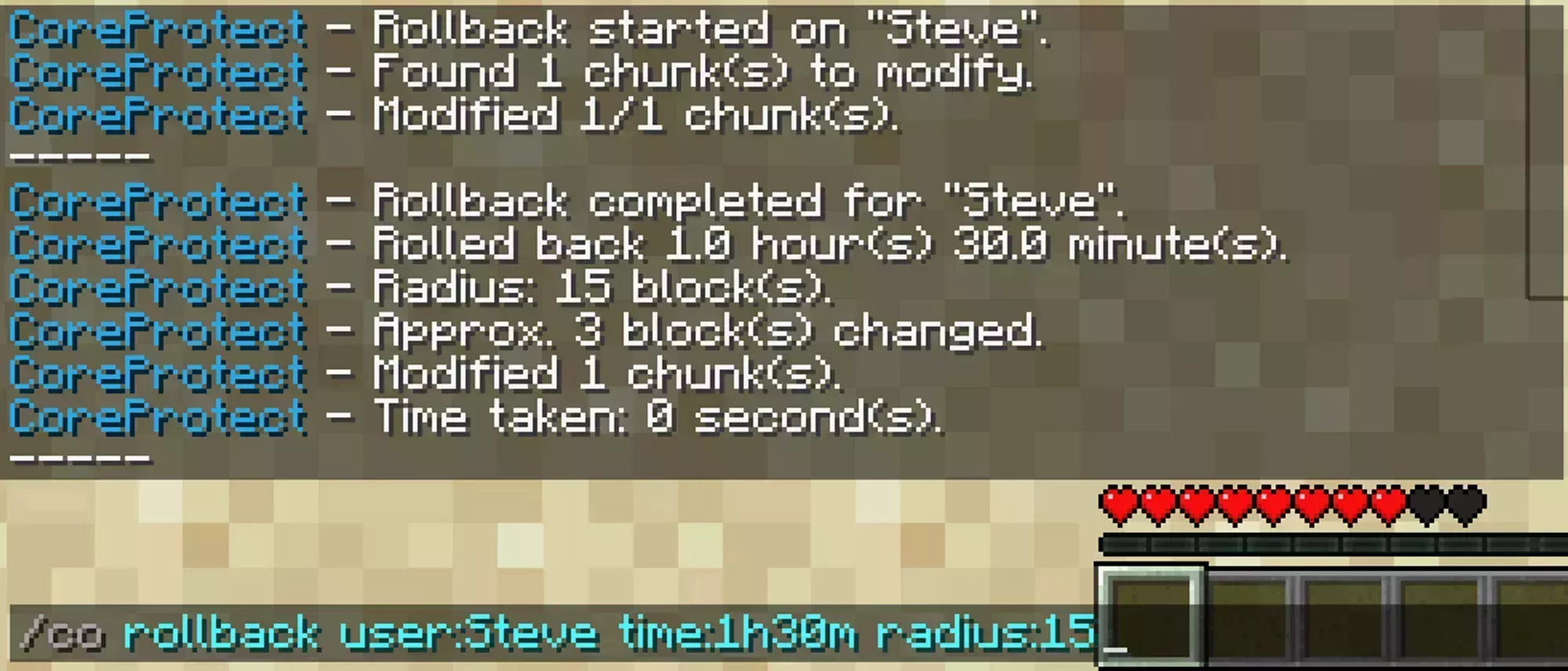
The results screen after running the 3rd command example.
Basic lookup
/co lookup takes the same parameters as rollback but only reports what it finds instead of reverting it.
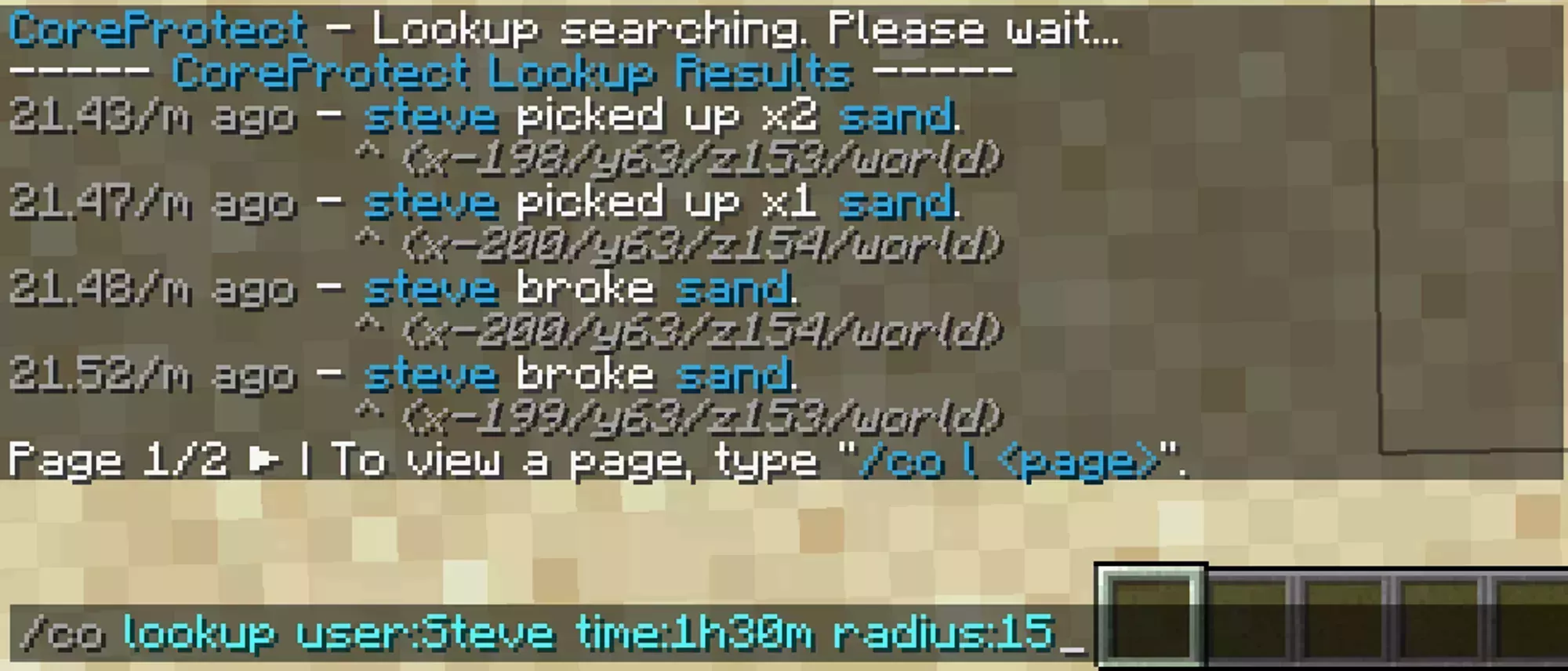
The results of lookup command with the same parameters as the 3rd example above.
Results show when it happened, who did it, what they did, and where. Click the coordinates to teleport straight to that spot, and use the arrows next to “Page” to page through results.
All commands
Every command marked [parameters] accepts the shared parameters below.
| Command | What it does | Shortcut | Example |
|---|---|---|---|
/co rollback [parameters] | Reverts modified blocks. Your main grief recovery tool. | /co rb | /co rollback user:Alex radius:20 time:7h block:stone |
/co restore [parameters] | Undoes a rollback by restoring what it reverted. | /co rs | /co restore user:Alex radius:10 time:2h |
/co lookup [parameters] | Searches logged data without changing anything. | /co l | /co lookup user:Alex radius:35 time:3d action:login |
/co undo | Reverts the last rollback or restore you ran. | /co undo | |
/co near | Quick lookup with a radius of 5 blocks. | /co near | |
/co status | Shows plugin status. | /co status | |
/co reload | Reloads the configuration file. | /co reload |
Purging old data
/co purge t:<time> r:<world> deletes logged data older than the time you give it, which frees up disk space once you no longer need the history.
/co purge t:30ddeletes everything older than 30 days across all worlds./co purge t:30d r:#world_netherdeletes data older than 30 days in the Nether only, leaving other dimensions intact.
Parameters
These are shared by every command marked [parameters]. They can go in any order and none are required.
| Parameter | Shortcut | What it filters on | Example |
|---|---|---|---|
user:<user> | u: | A specific player. | user:Alex, u:Steve |
time:<time> | t: | How far back to search, in w d h m s. Decimals work. | time:3w,4d,7h,20m,10s, time:2.5h |
radius:<radius> | r: | Blocks around you, or a whole world. | radius:10, r:#world_nether, r:#global, r:#worldedit |
action:<action> | a: | One action type, such as block, kill, or container. | action:block, a:kill, action:-item |
blocks:<blocks> | b: | One or more block types, comma separated. | block:dirt, b:diamond_ore,emerald_ore |
exclude:<exclude> | e: | Block types to leave out of the results. | exclude:tnt, e:chest,ender_chest |
For radius, r:#world covers an entire world, r:#global covers all of them, and r:#worldedit uses your current WorldEdit selection.
For action, the + and - prefixes narrow a type to one direction, so a:+block is placements only and a:-block is breaks only. The full list of action types and the user types behind them (#fire, #lava, #tnt, and the rest) lives in CoreProtect Events.
Hashtags
Append a hashtag to change what a command does with its results.
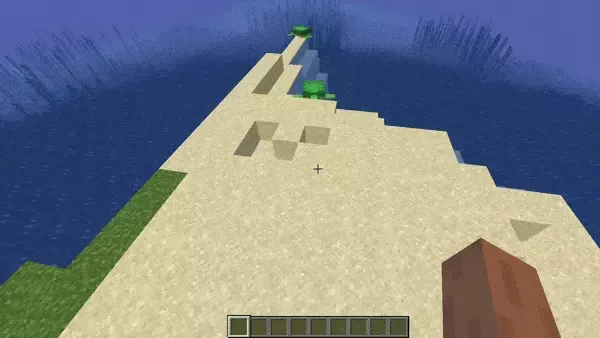
#preview previews a rollback or restore without applying it:
#count returns the number of rows a lookup matched instead of listing them: