


 Project Zomboid
 We allow Project Zomboid servers to use Steam beta branches for Project Zomboid. This article explains how to do so.
Step 1: Take a backup (optional)
We recommend taking a backup in case something goes wrong. Stop the server, then follow our Manual Backup guide to take the backup. Once complete, download it to your PC.
Step 2: Format the Server
Due to significant differences between the latest stable branch and the latest beta branch (B42), we highly recommend formatting the server prior to reinstalling. Navigate to the File Manager, select all files, then press “Delete”.
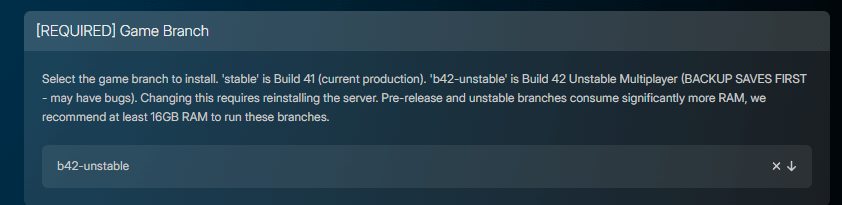
Step 3: Set the Game Branch
On the Server Options page, locate [REQUIRED] Game Branch. Most betas will be available in the dropdown. Select the one you’d like to use. If it isn’t listed, you can specify it in the [ADVANCED] Steam Beta Branch parameter, directly above Game Branch.
Step 4: Reinstall the Server
Navigate to Advanced > Server Actions and click Reinstall Server there.