


We provide MySQL databases with our Game Servers that are managed through our Game Panel. You can follow the steps below to create a MySQL database.
- To create a database, head into the panel and under
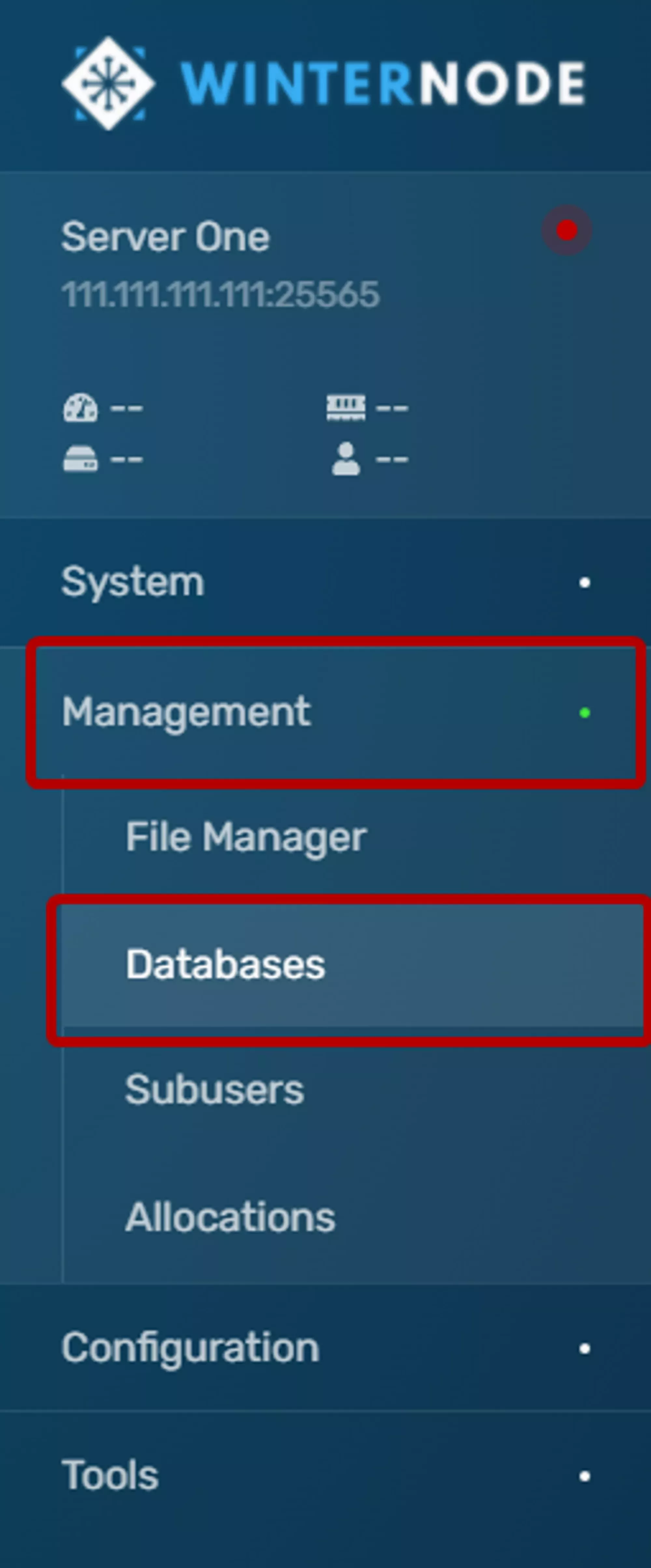
Managmentclick onDatabasesas shown in the example navigation bar to the right. - Click the
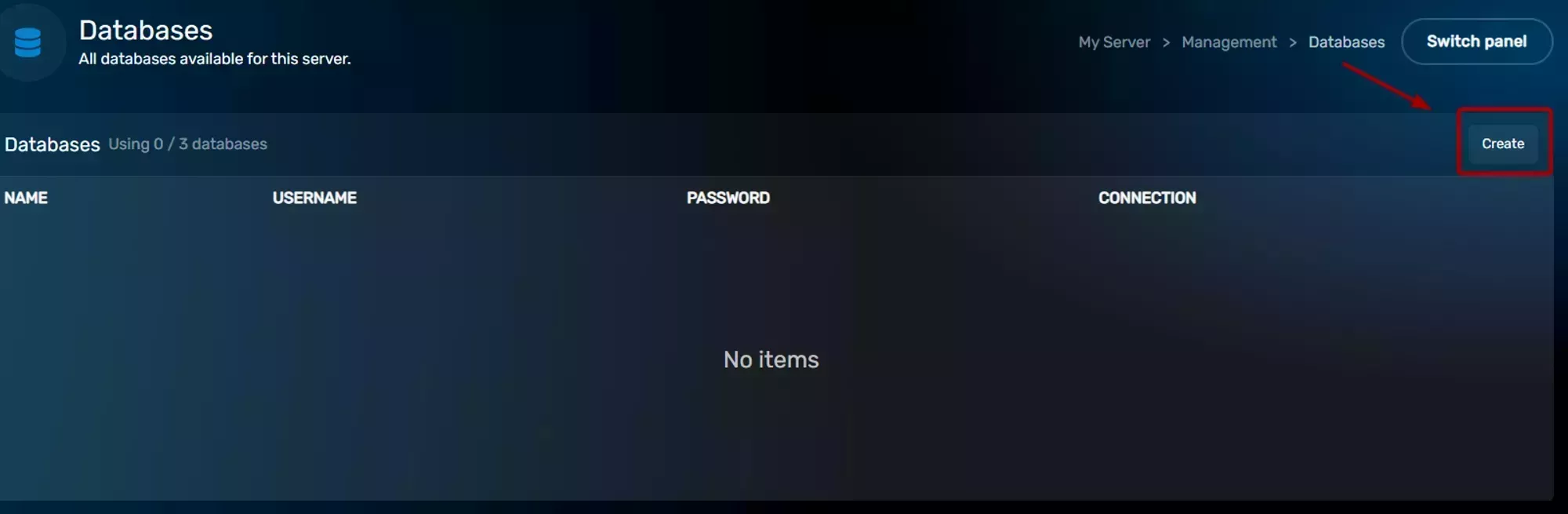
Createbutton on the top right side of theDatabasesbox.
- Click the
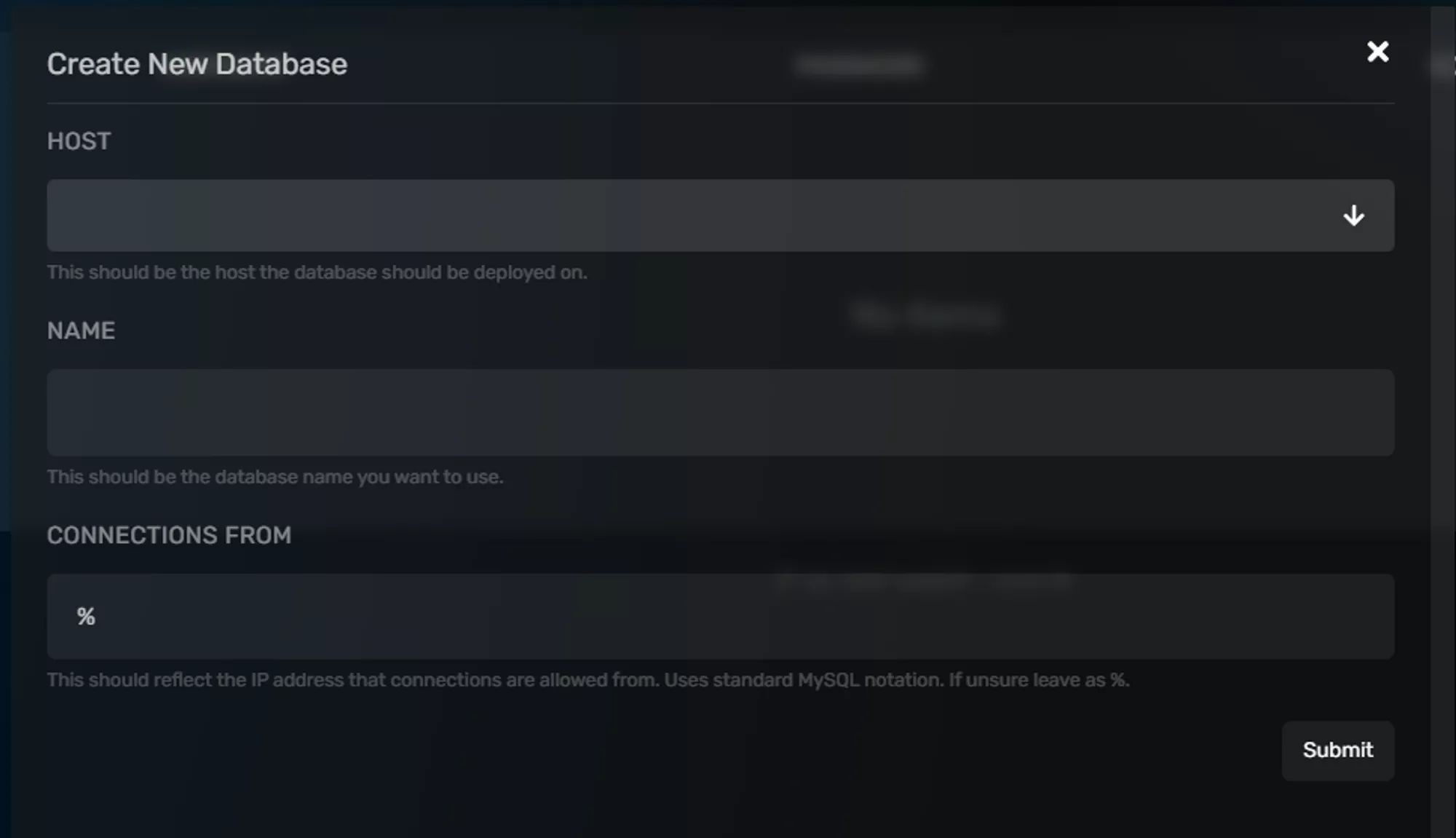
HOSTdropdown and select your server’s node, it should be the only option, and then fill out theNAMEField with a name for your database. You should leave theCONNECTIONS FROMField as is (%) unless you’re trying to limit what can connect to your database, which isn’t generally necessary.
- Then your database will be created and should appear on the list. It will have your database name, username, and connection address/port. To reveal the password click on the key icon and to reset it click on the button to the far right side of the database entry.

Frequently Asked Questions
No. We suggest using HeidiSQL to manage your databases.